One live view of every
open order for an
aerospace supplier.
Order status lived in Sage 200, WooCommerce and a scatter of spreadsheets, so nobody could say what was stuck and why without asking three people. We built an Operations Control Tower inside the Microsoft package they already run — orders in Microsoft Lists, dashboards in Power BI, and every open order with whatever is blocking it on a single screen.


Every open order, and what is holding it up.
Order status that lived in three places at once.
Frasers Aerospace supplies AS9120B-accredited cleaning and surface-treatment products to airlines, MROs and aerospace manufacturers. Trade orders sit in Sage 200, web orders arrive through WooCommerce, and the day-to-day picture of what was stuck — payment holds, freight bookings, certification paperwork, back orders — was held in spreadsheets, inboxes and people’s heads.
The question the business could not answer quickly was the simplest one: what is open right now, and what is holding it up? Sage was never going to be replaced, and it was not the problem. The gap was visibility — one screen that reads from both systems and shows the exceptions before the noise.
There was a constraint worth taking seriously, too. Frasers Aerospace is a Microsoft business, so whatever we built had to live inside the package it already pays for and the tools its people already open every morning — not a new platform bolted on beside them.
Six pillars behind the Control Tower.
We designed and built the Operations Control Tower around how orders actually move through an AS9120B supplier, using the Microsoft tools the business already had — a visibility layer shaped to how they work, not a generic order-tracking tool with a new coat of paint. Six pillars carry it.
Built inside the licences they own
Frasers Aerospace runs on Microsoft, so the Control Tower was built in the package the business already pays for — Microsoft Lists holding the orders, Power BI building the dashboards. No new platform, no new subscription, nothing new for anyone to learn.
Spreadsheets into Microsoft Lists
Orders come out of Sage 200 read-only, so the system of record is never at risk, and the orders that used to be raised in spreadsheets are raised in Microsoft Lists instead — one list, one version, open to everyone who needs it rather than sitting in a file on somebody's desktop.
Exceptions first
Every order carries its blockers as plain flags — payment hold, freight issue, certification pending, back order, overdue — and an Attention Needed panel lifts flagged orders to the top of the screen before anything else is shown.
Sales and purchase, side by side
Two dashboards built on the same pattern: open sales orders from payment through to dispatch, and purchase orders from raised to goods delivered, with supplier on-time performance alongside.
A board the whole floor can read
A TV wallboard for the warehouse and office walls — live counts with day-on-day movement, status columns auto-scrolling in turn, legible across the room and needing nobody to drive it.
Insights, not just lists
Net profit and loss by month, revenue and order trends, customer concentration risk, best customers and best products — the questions the team was exporting into spreadsheets to answer.
What changed day to day.
One screen the whole business works from.
The Operations Control Tower is how Frasers Aerospace sees its order book — sales orders from payment through to dispatch, purchase orders from raised to goods delivered, and a wallboard the warehouse works to.
It keeps growing inside the same Microsoft package. Phase two adds a shared calendar so the team can see deliveries and holidays coming, and project tracking so ongoing work sits alongside the order book — same tools, same place people already work.
Every open sales and purchase order on one screen
Spreadsheet-raised orders moved into Microsoft Lists
Blocked orders surfaced first, not buried in a list
Payment, freight, certification and back-order holds visible at a glance
Profit shown alongside value on every sales order
Supplier on-time performance tracked next to spend
A TV wallboard the warehouse floor can read without touching it
Three phases in, with the next underway.
Discovery
Mapping how orders really move through Sage 200, WooCommerce and the spreadsheets
Build
Orders into Microsoft Lists, dashboards into Power BI
Live
Sales orders, purchase orders and the TV wallboard in daily use
Phase two
Shared calendar for deliveries and holidays, plus project tracking
What it runs on, and reads from.
Nothing new to buy. The Control Tower lives in the Microsoft tooling Frasers Aerospace already licenses, reading from the two systems that already hold the orders.
 Power BI
 Sage 200 · MS SQL
 WooCommerce REST API
Other data products we've shipped.
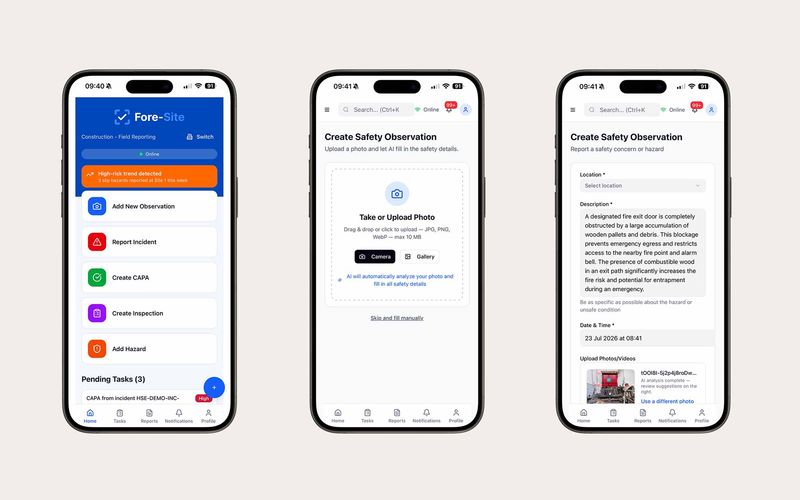
AI HSE reporting, from a single photo.
Our own product: an AI-powered progressive web app that turns a single photo into a complete observation, incident or hazard report — with a desktop command centre for tracking, investigation and approvals. Works offline and syncs on reconnect.
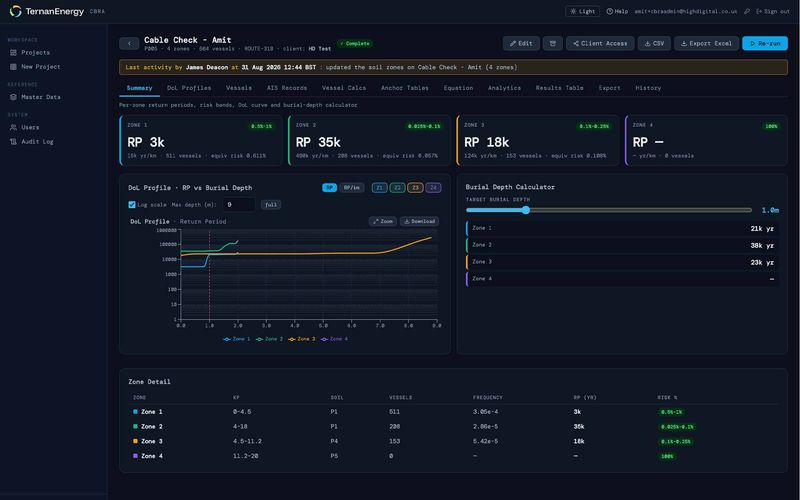
A 12-tab spreadsheet, rebuilt as a risk platform
Offshore cable burial risk assessment taken out of a straining Excel workbook and rebuilt as a Python engine and React application on Microsoft Azure — a hundred thousand rows of AIS vessel data, Carbon Trust anchor-strike methodology, and depth-of-lowering curves for every soil zone on a route.
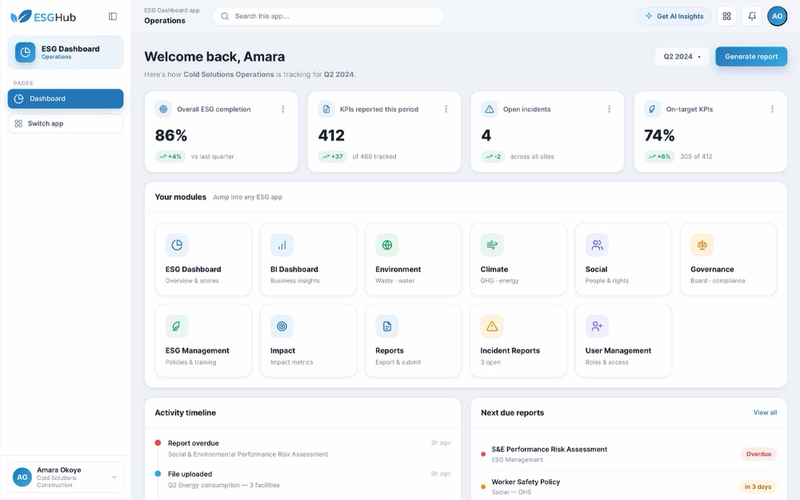
Real-time carbon & compliance reporting for cold chain.
A data management platform built to manage ESG data and deliver ESG insights, analytics and reports to the business and its stakeholders.
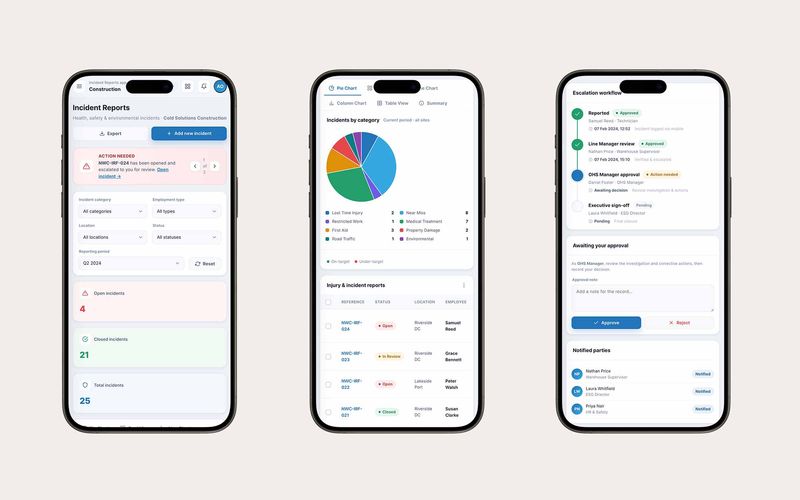
Time-critical incident reporting, built for the field.
A realtime incident reporting application built to collect, escalate and report on incident data across the cold chain and construction business.
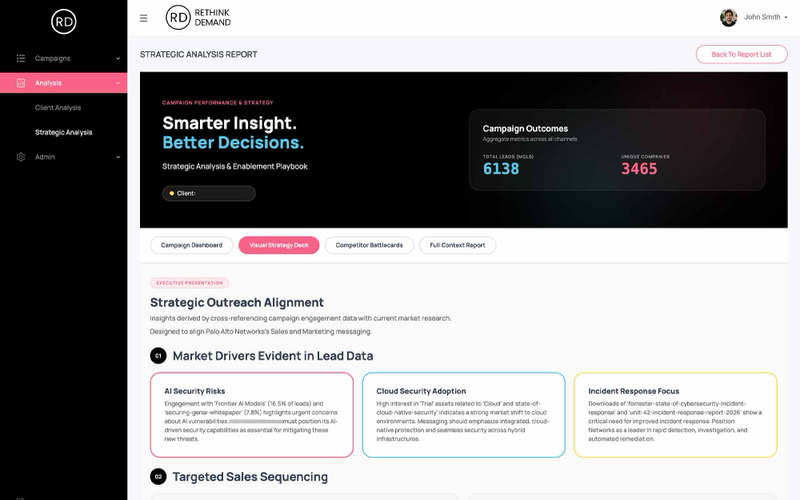
A single source of truth for prospect intelligence.
A centralised platform to manage the acquisition, cleansing, matching and enrichment of prospect data at scale — replacing fragmented sources and manual scoring with one unified system.
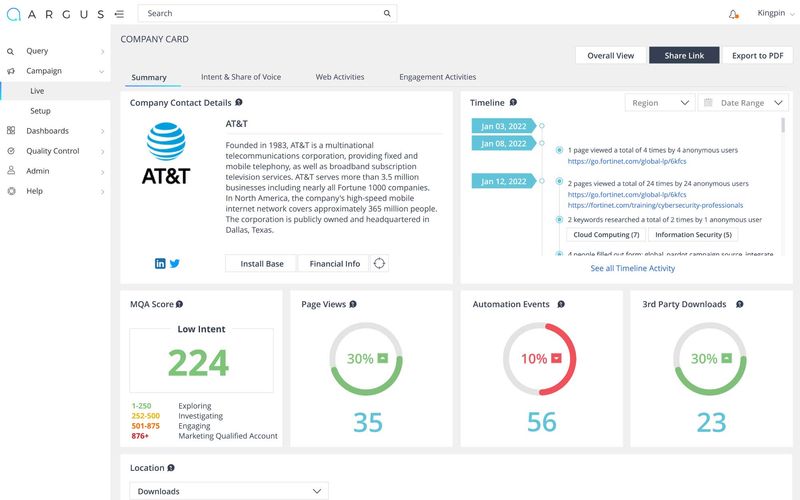
A stalled platform, rebuilt into an award-winning product.
An award-winning data management and lead generation platform, capable of tracking and reporting campaign data in real time.
Questions, answered straight.
Have an outcome in mind?
We'll help you
ship it.
- You're building a data product and need a team that can deliver.
- You want to get AI-ready — pragmatically, not theoretically.
- Your reporting is a mess and you need a real platform underneath it.